
Google My Business (GMB) is a free tool that allows you to manage your online presence on Google, specifically search results that show up on Google Maps and on normal search restults.
When you set up a GMB listing, you create a profile for your business that appears when people search for your business on Google.
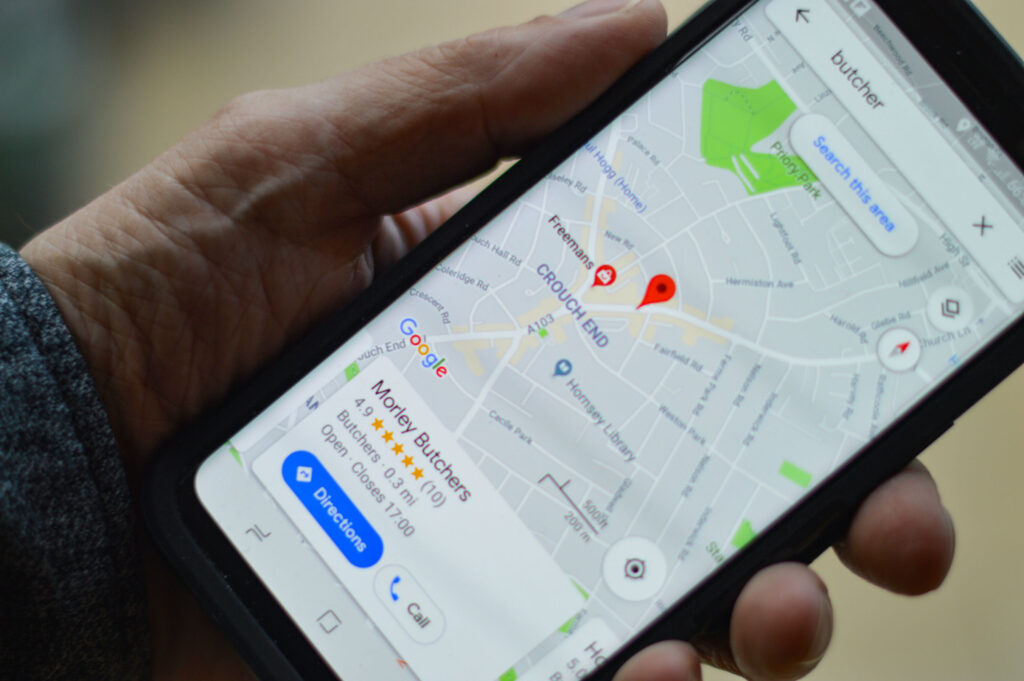
The 3-pack is a feature on Google Maps that displays a list of three businesses relevant to the user’s search query. It’s a highly coveted spot for businesses, as it gives them prominent visibility and can drive more foot traffic and online engagement.
One factor that determines whether a business appears in the 3-pack is proximity to the user’s location. Google uses the user’s device location to show the most relevant businesses based on their proximity. So, if you search for “pizza near me,” the 3-pack will show you the closest pizza places.
However, proximity is not the only factor that affects a business’s ranking in the 3-pack. Here are some other factors that can help improve your visibility:
Relevance: Google uses algorithms to determine the relevance of your business to the user’s search query. This means that if your business is closely related to what the user is searching for, you’re more likely to show up in the 3-pack.
Google My Business listing: A complete and accurate GMB listing can improve your visibility in the 3-pack, as it provides more information to Google about your business and what it offers.
Online reviews: User reviews and ratings play a big role in determining the popularity of a business and its ranking in the 3-pack. Encouraging customers to leave positive reviews can help boost your visibility.
Online engagement: Google tracks how customers engage with your business listing, such as how many clicks it gets, how long people spend on your listing, and how often they call or visit your business. The more engagement your listing generates, the higher it will rank in the 3-pack.
Getting your review link from your Google My Business (GMB) listing is a simple process that can help you encourage customers to leave reviews for your business. Here’s how to do it:
Now that you have your review link, you can put a process in place to encourage customers to leave reviews for your business. Here are a few tips to help you do that:
Timing: Timing is important when asking for reviews. You want to reach out to customers when they’re most likely to remember their experience with your business. A good rule of thumb is to reach out within a few days of their interaction with your business.
Personalization: Personalizing your request for a review can make it more likely that the customer will take the time to leave a review. You can mention specific aspects of their experience that you think they’ll remember, or simply thank them for their business.
Method: You can reach out to customers through various channels, such as email, text message, or even a follow-up call. Choose the method that you think will be most effective for your customers.
Consistency: Putting a process in place to regularly reach out to customers for reviews can help you build a steady stream of positive reviews for your business.
It’s important to note that flooding your GMB listing with all of your reviews in one go is a bad signal to Google and can hurt your visibility on Google Maps. Google prefers to see a consistent, natural flow of reviews over time, so it’s best to spread out your reviews and not to ask for too many at once.
Posting on Google My Business (GMB) is a great way to keep your listing up-to-date and engaging for customers. By sharing news, offers, and other information, you can build a stronger online presence and improve your visibility on Google Maps. Here’s how you can post on GMB:
Log in to your GMB account.
Select the listing you want to post on.
Click on the “Posts” section.
Click on the “Create post” button.
Choose the type of post you want to create, such as an event, offer, or product.
Enter the details of your post, such as the title, description, and images.
Preview your post to make sure it looks the way you want it to, and then publish it.
Posting regularly on GMB is a good signal to Google, as it shows that your listing is active and up-to-date. To establish a tempo for posting, you can schedule a regular time each week or each month to create and publish new posts. This can help you stay consistent and ensure that you’re providing fresh and relevant information to your customers.
It’s important to note that the content you post on GMB should be relevant to your business and provide value to your customers. Avoid posting irrelevant or spammy content, as this can hurt your visibility on Google Maps.
Your Google My Business (GMB) listing and your website are interconnected, and the content on your website can impact your GMB listing and its visibility on Google Maps. Here’s how:
Relevance: The content on your website should be relevant to your business and the products or services you offer. This can help improve the relevance of your GMB listing to the user’s search query and increase the chances of appearing in the 3-pack.
Keywords: The keywords used on your website can impact the ranking of your GMB listing. By using relevant keywords in your website content, you can help improve the visibility of your GMB listing when people search for those keywords on Google.
Quality and relevance of backlinks: The quality and relevance of the websites linking to your site can also impact your GMB listing. Having high-quality, relevant websites linking to your site can improve your website’s authority and visibility, which can in turn impact your GMB listing.
User engagement: The user engagement on your website, such as the time spent on site, click-through rate, and bounce rate, can impact your GMB listing. A well-designed, user-friendly website with high-quality content can encourage users to spend more time on your site, which can improve your GMB listing’s visibility.
By ensuring that your website and GMB listing are well-optimized, you can improve your visibility on Google Maps and reach more potential customers. It’s important to regularly review and update both your GMB listing and website to ensure that the information is accurate and up-to-date, and to maintain a strong online presence.