
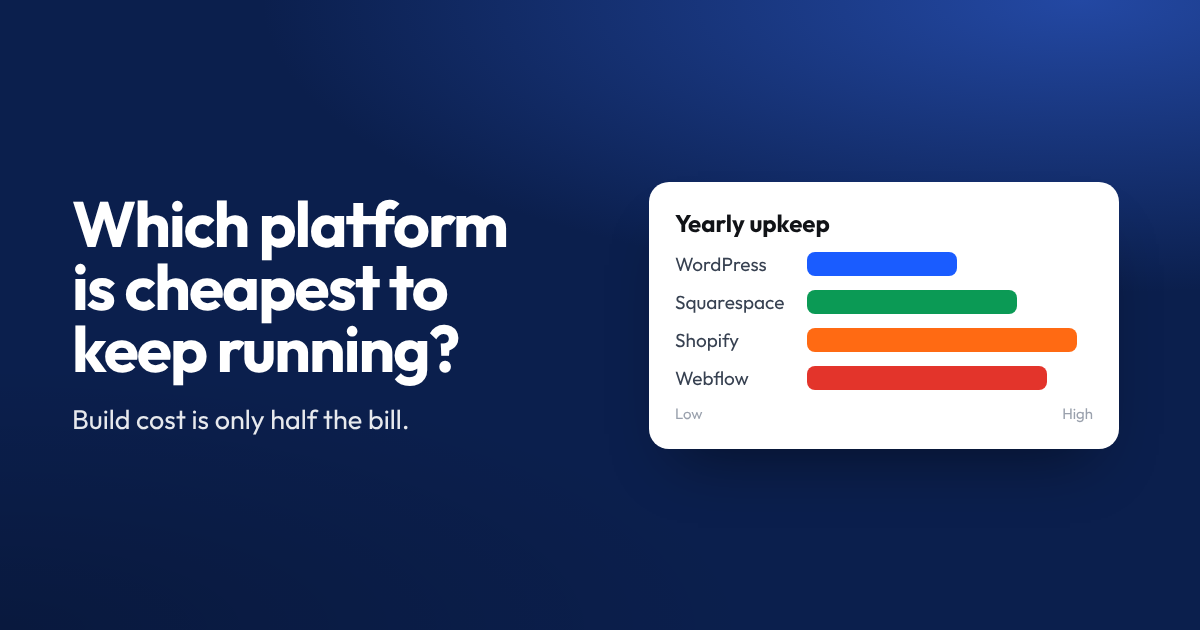

This question comes up in almost every discovery call we run. People focus on build cost first. Maintenance cost matters more over time. Here’s how the main platforms actually compare once your site is live.
What “Maintenance Cost” Really Includes
Maintenance isn’t just a monthly fee. It covers hosting, security updates, plugin or app costs, content changes, and fixing anything that breaks. A platform that looks cheap upfront can cost more over three years once all of this is added up.
| Platform | Hosting | Updates | Typical Extras | Ongoing Effort |
|---|---|---|---|---|
| WordPress | €5-€30/mo | Manual or plugin-based | Premium plugins, security tools | Medium to high |
| Wix | Included | Automatic | App subscriptions | Low |
| Webflow | Included | Automatic | CMS plan upgrades | Low |
| Squarespace | Included | Automatic | Limited extras | Low |
| Custom built | Varies widely | Developer required | Developer hours | High |
Why WordPress Can Get Expensive Over Time
WordPress itself is free. The costs creep in through plugins, premium themes, and hosting. Security also needs attention. An unpatched WordPress site is a common target for hackers, and fixing a hacked site costs far more than routine maintenance ever would.
If you’re comfortable managing updates yourself, or you have a developer on retainer, WordPress can still be affordable. Without that, costs and risk both go up.
Why Hosted Platforms Tend to Cost Less to Run
Wix, Webflow, and Squarespace bundle hosting, security, and updates into one subscription. There’s no separate hosting bill, no plugin to patch, and no surprise breakage after an automatic update. This predictability is a big reason small businesses choose them.
The trade off is flexibility. Complex functionality sometimes needs a paid app or a higher tier plan, which adds to the monthly cost.
Custom Built Websites and Long Term Cost
A custom coded site can be the most expensive to maintain, purely because every change needs a developer. There’s no drag and drop editor for a quick text update. For businesses that need very specific functionality, this cost is often worth it. For a standard brochure site or online shop, it usually isn’t.
Matching the Platform to Your Actual Needs
The cheapest platform depends on how much time and technical comfort you have, not just the sticker price. A hosted platform usually wins for small teams without dedicated IT support. WordPress can still work well with the right maintenance plan in place.
If you’re not sure which fits your situation, it’s worth getting a quick audit before committing to a build.